

ECOStock: stock counting at scanning speed
Count your stock by scanning products with your phone camera or a Bluetooth scanner, and export the file in exactly the layout your system asks for.
Counting is free, with ads. Exporting the file and customizing the layout need a monthly or yearly subscription on Google Play, with a 7-day free trial for new subscribers.
Get it on Google Play
SAMPLE EXPORTED FILE
code;description;qty;type
7891000100103;Whole milk 1L;48;U
7891000315507;Mozzarella cheese;12.350;F
7891000053508;Sandwich cookies;120;U
What it does
Built to count fast and deliver the right file.
Camera or scanner
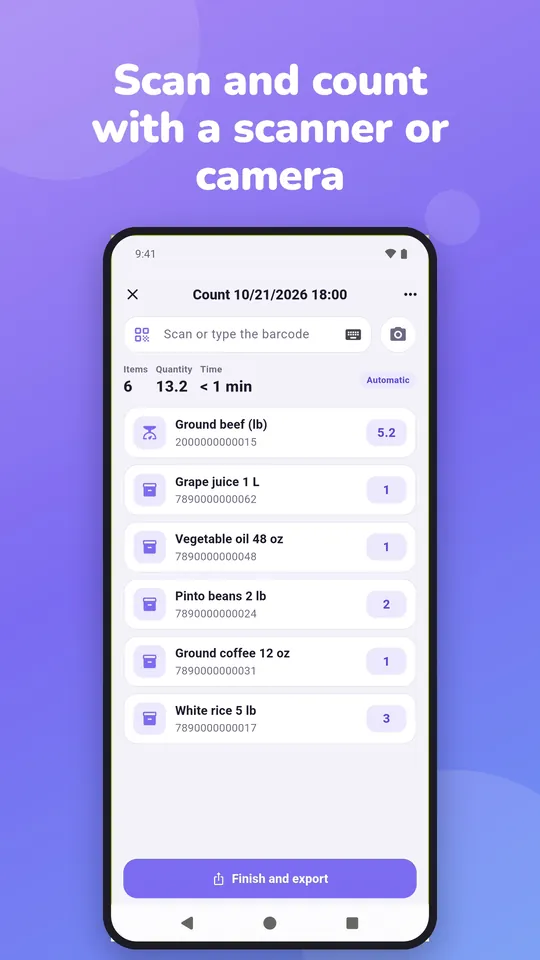
Scan with your phone camera or a Bluetooth/USB scanner, with no on-screen keyboard in the way.
Automatic or manual
In automatic mode every scan adds one unit. In manual mode, the app asks for the quantity.
Weighed items
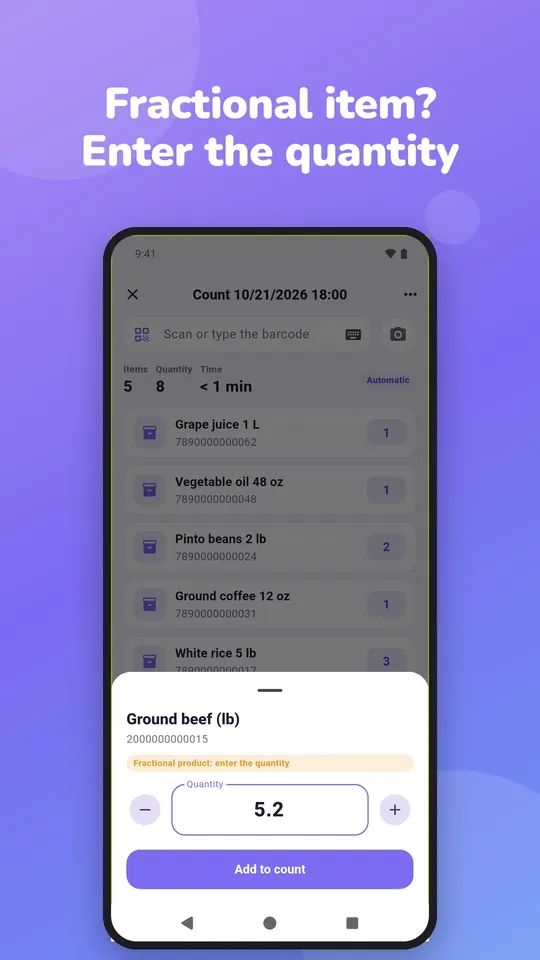
Items sold by weight or length always ask for the quantity, with decimals.
Groups and counts
Organize by area or category; open, finish, reopen and rename counts.
Count duration
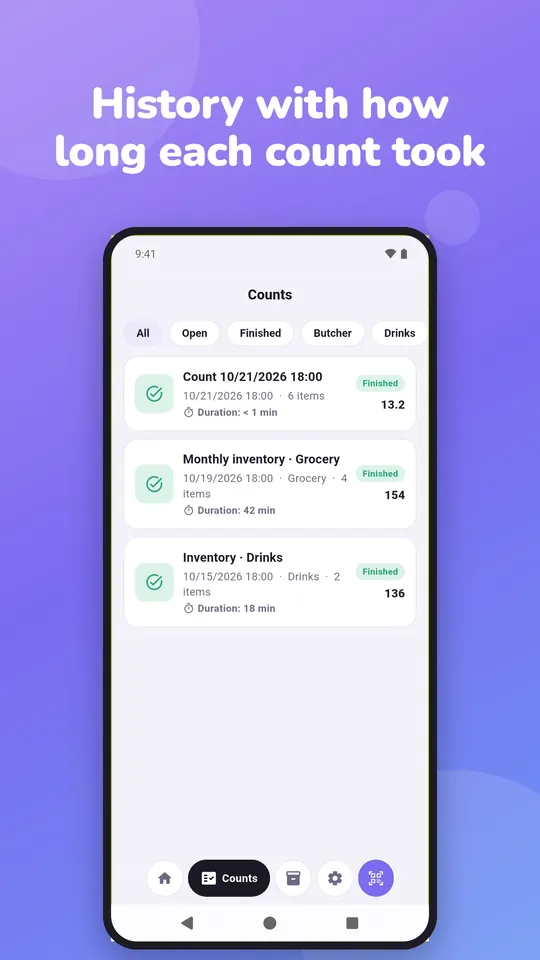
See how long each count took, live and in the exported file.
Configurable export
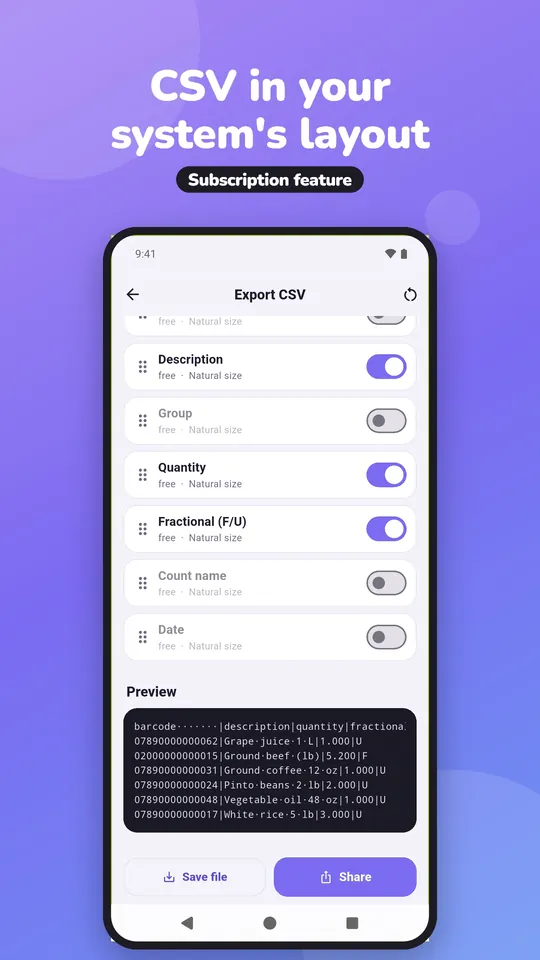
CSV or TXT, with separator, fixed width, column order, padding, decimals and encoding (UTF-8 or Latin-1).
Live preview
See the file before exporting, with a warning for any column that overflows its size.
No server
Everything stays on the device, works offline, and Android automatic backup covers a phone change.
Portuguese and English
Interface in both languages.
How it works
From product list to file, in four steps.
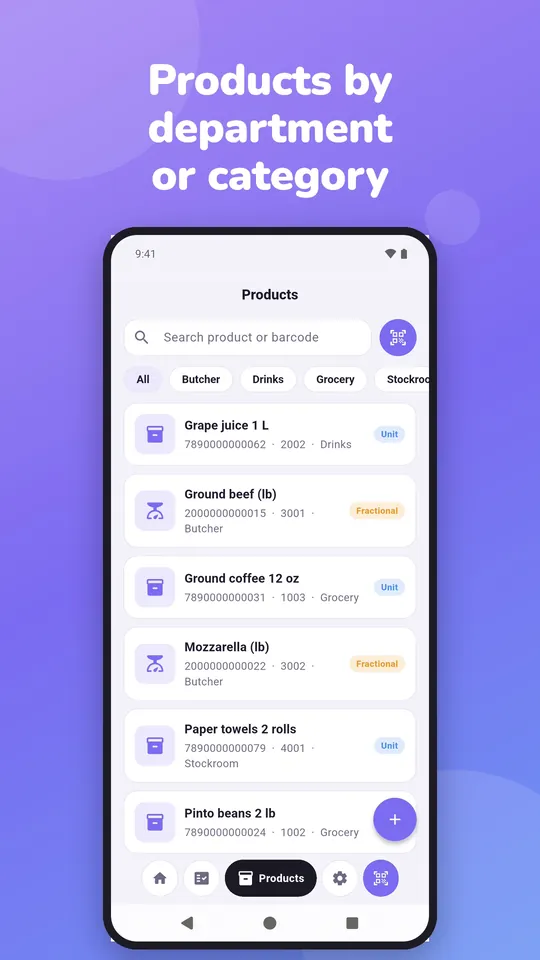
- Add your products (or start counting even without a product list).
- Create a count, pick the group and automatic or manual mode.
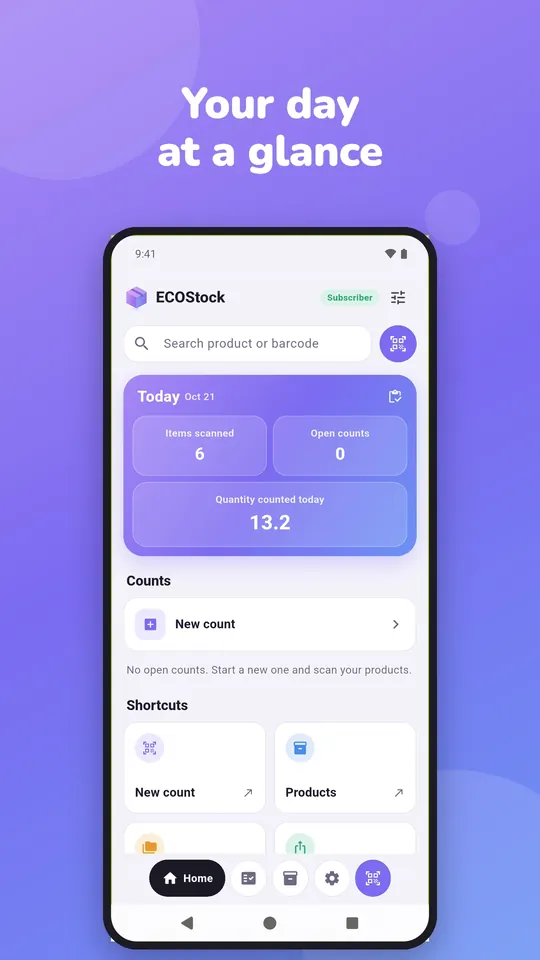
- Scan the items and follow the total and the time.
- Finish and export in your system’s layout.
Who it is for
Grocery stores, pharmacies, shops, warehouses and any business that takes inventory and needs to bring the result into a back-office system. Want the full process? Read the guide how to count stock with a barcode scanner.
A closer look
Six screens, from scan to file
FAQ
ECOStock questions
Does ECOStock work offline?
Yes. Data stays on the device and counting does not need a connection.
Which scanner can I use?
Your phone camera or any Bluetooth/USB scanner that works as a keyboard. With a scanner, the app captures codes directly, without opening the on-screen keyboard.
Can I count products I have not added?
In automatic mode, yes: an unknown code is counted with the code itself as the description. In manual mode, the app offers to add the product or just count it.
How does the export work?
You build the file layout: separator, columns and order, size of each field, padding, decimals, header and encoding. The layout is saved on the device and the preview shows the result before exporting.
How much does it cost?
Counting, adding products and groups and viewing history are free, with ads. Exporting the file and customizing the layout need a monthly or yearly subscription on Google Play, with no ads and a 7-day free trial for new subscribers. Prices are shown on the app page in the store.
Where can I get ECOStock?
On Google Play, for Android: open the ECOStock page. See also the privacy policy and the terms of use. Questions: suporte@ecodaa.com.
Let's talk
Hear about new releases
Send us an email and we will let you know when a new app or a new version comes out.