

StepRisk on TopstepX
Balance, MLL and daily P&L read from the page, contracts sized by risk, R targets and a warning when no OCO bracket is set.


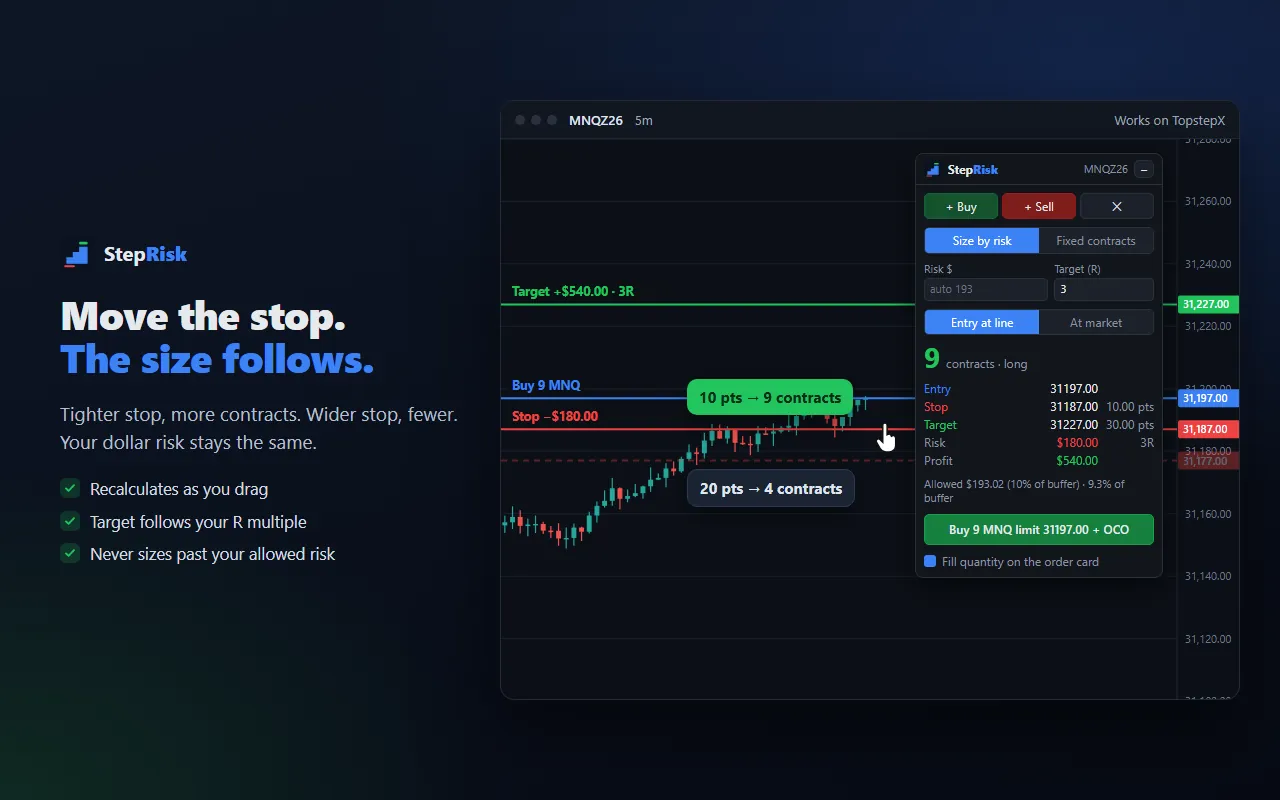
Drag your stop on the chart and StepRisk calculates how many contracts fit your risk, on TopstepX, Tradovate, NinjaTrader Web and TradingView. On platforms with an order card, it fills in the quantity for you too. One trade doesn’t have to blow your account.
Free for 7 days. Email only, no card. Then US$ 9 per month, cancel anytime. Watch the videos.
Add to Chrome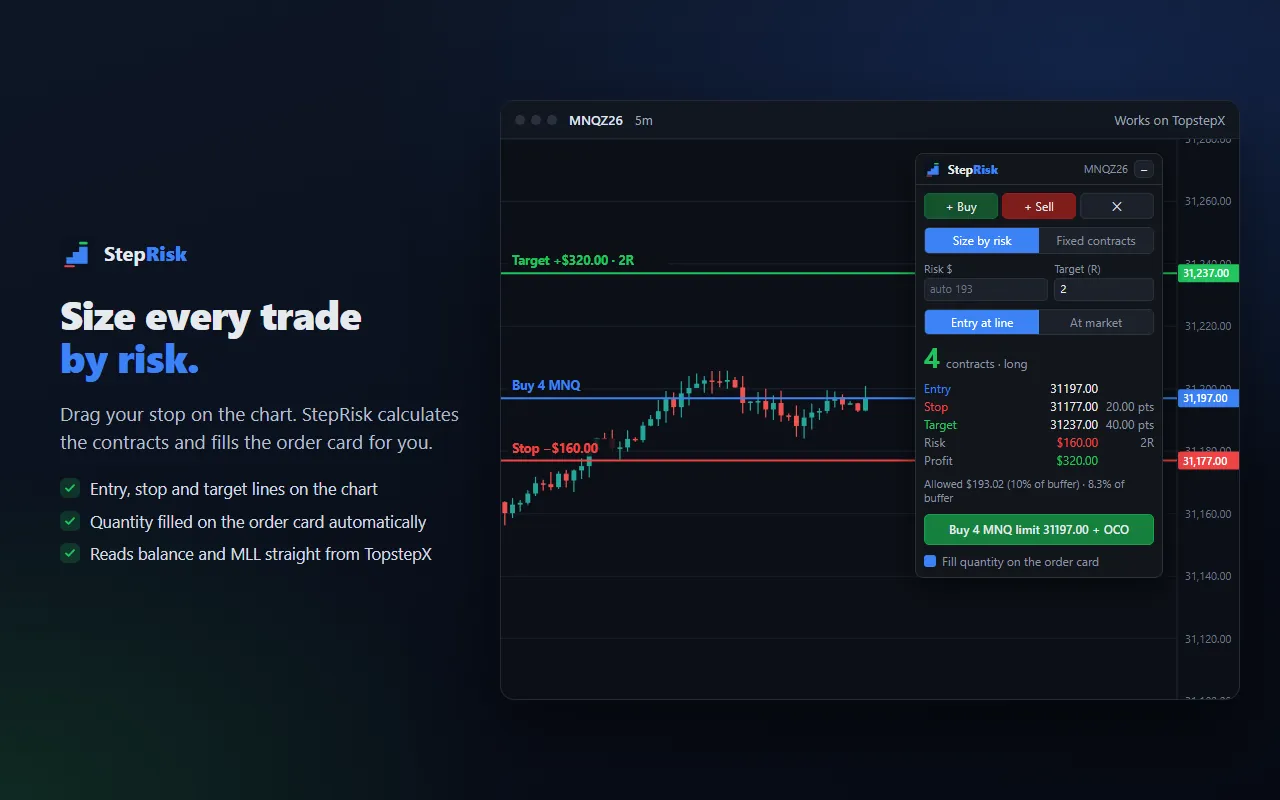
What it does
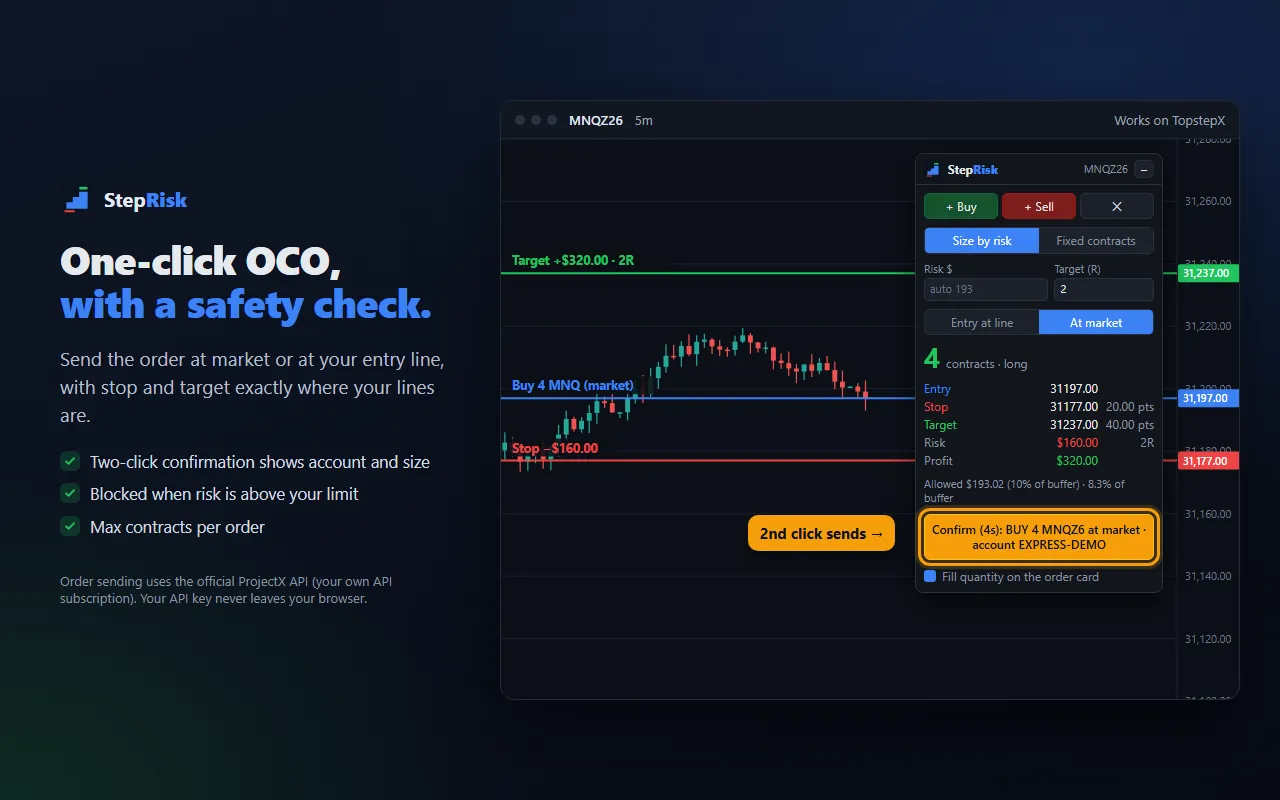
Entry, stop and target appear on the chart and can be dragged. At market, they follow the live price.
StepRisk calculates the contracts from your risk and fills the quantity on the TopstepX, Tradovate and NinjaTrader Web order card.
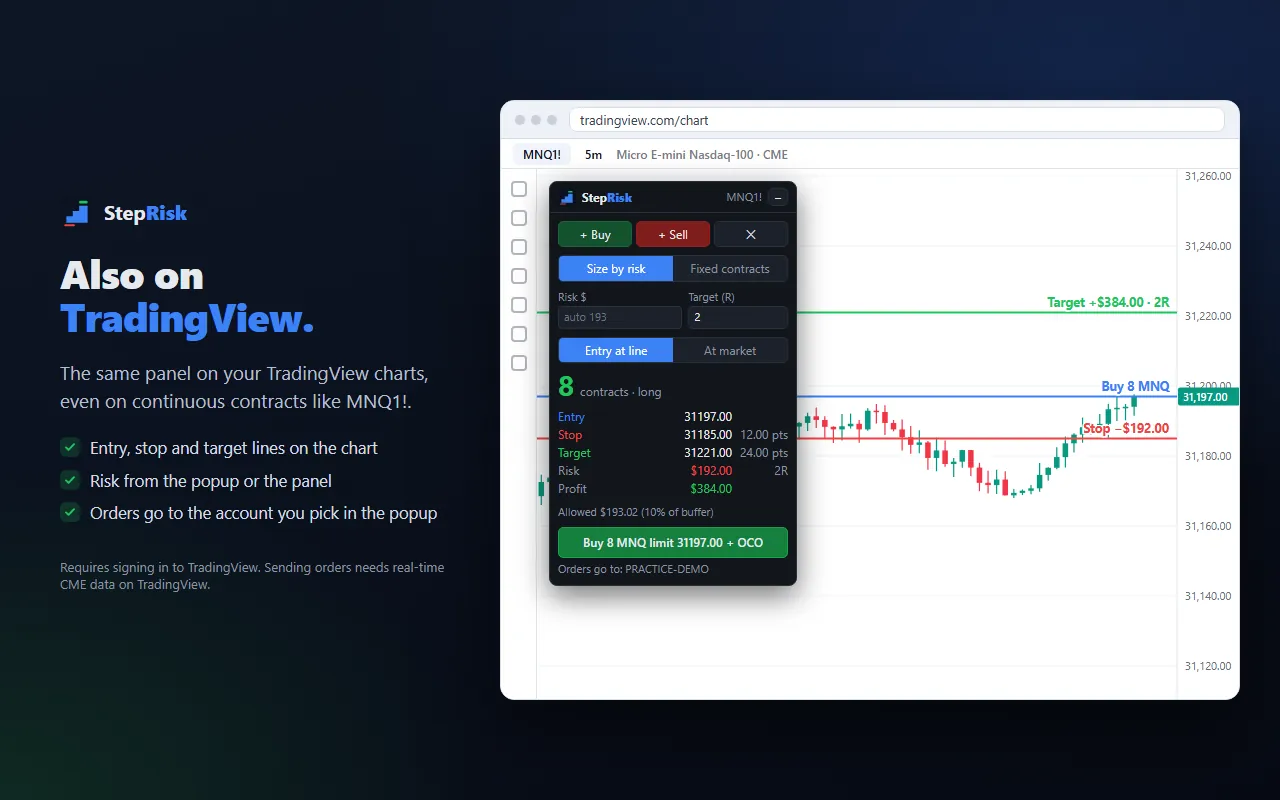
The same panel on TopstepX, Tradovate, NinjaTrader Web and TradingView charts, including the continuous MNQ1!.
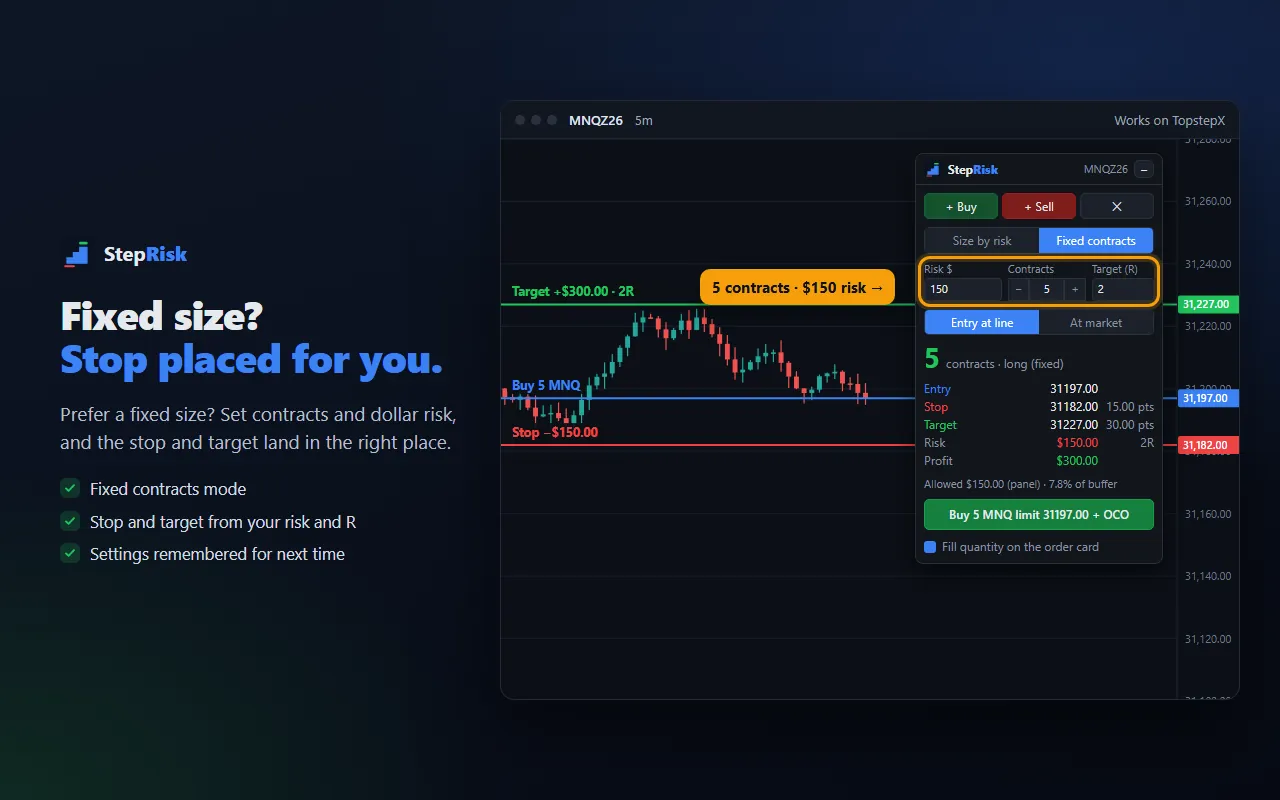
Size by risk (drag the stop) or fixed contracts (pick contracts and a dollar risk).
The target follows your multiple (1R, 2R, 3R…) as you move the stop.
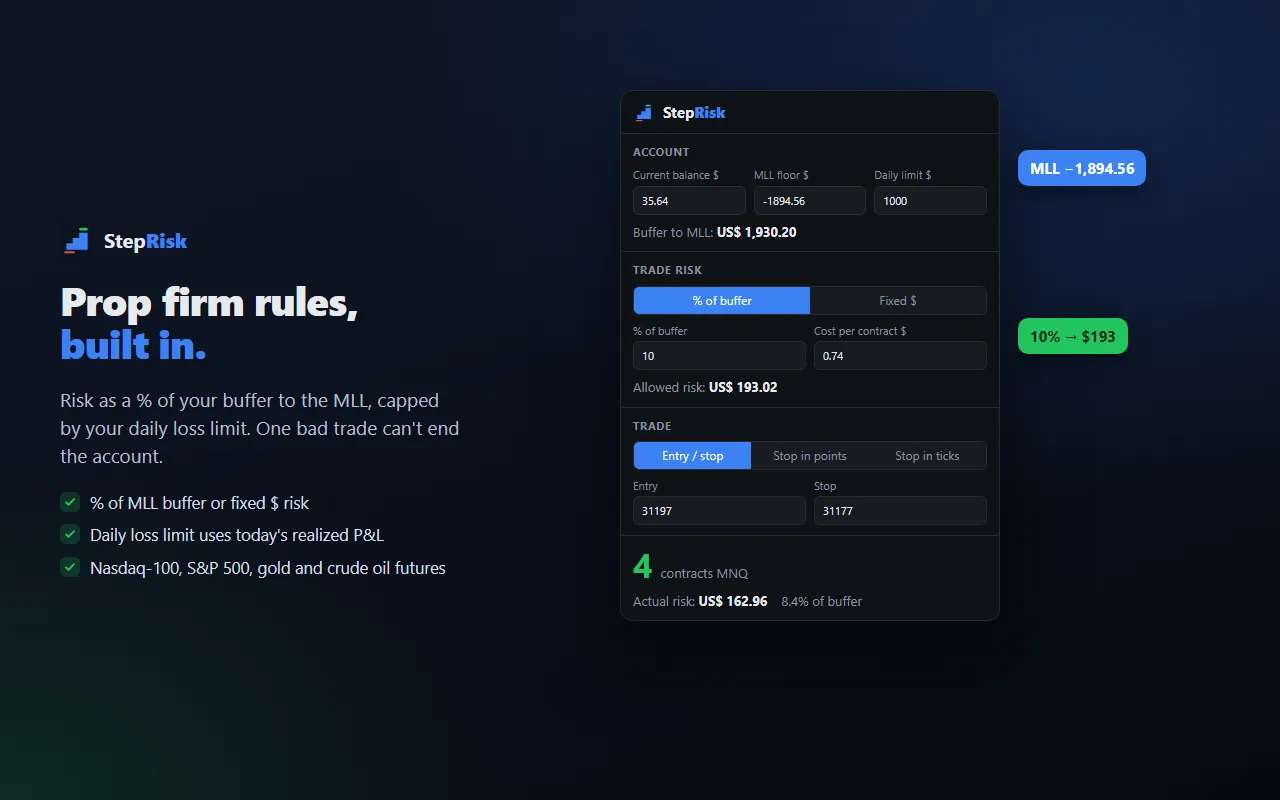
Risk as a % of your buffer to the MLL or a fixed amount, capped by your daily loss limit. On TopstepX, balance, MLL and daily P&L come straight from the page.
On TopstepX, no API needed: StepRisk fills the order card and clicks Buy or Sell, with stop and target from your OCO bracket. On Tradovate and NinjaTrader Web, at market or at your line, with stop and target from your lines. With the optional ProjectX API, OCO exactly at your lines.
Your API key stays in your browser and never goes to the platform page or to Ecodaa.
The interface follows your browser language.
Videos
Recorded on each platform’s simulation accounts. Start with the overview, then watch the tutorial for the platform you use.
One oversized trade is all it takes to lose a funded account. Watch StepRisk size the contracts from your stop, fill the order card and place the order with stop and target.
Balance, MLL and daily P&L read from the page, contracts sized by risk, R targets and a warning when no OCO bracket is set.
Lines on the chart, size from your stop and orders at market or at your line, with stop and target from your lines.
On both the NinjaTrader chart and the TradingView chart: TP/SL in ticks from your lines and entry at your line.
Contracts calculated right on the chart, even on the continuous MNQ1!, and optional order sending through the ProjectX API.
A closer look
FAQ
TopstepX, Tradovate (trader.tradovate.com), NinjaTrader Web and TradingView charts, in the browser (Chrome and Chromium browsers such as Vivaldi). It works with micro and E-mini futures on the Nasdaq-100, S&P 500, gold and crude oil.
The panel shows up on tradingview.com charts with the same lines and the same math. Since TradingView doesn’t show your prop firm account, the risk comes from the popup (balance and MLL floor) or from the Risk $ field on the panel, and orders go to the ProjectX account you pick in the popup. You need to be signed in to TradingView for the lines to appear, and sending orders needs real-time CME data.
No. Nothing is sent without your two-click confirmation, and the confirmation shows the contract, side and size first. On TopstepX, it fills the order card and clicks Buy or Sell, with stop and target from the OCO bracket you set up there, and warns you if there is none. On Tradovate and NinjaTrader Web, at market or at your entry line, with stop and target taken from your lines. With your own ProjectX API subscription, the order goes out with stop and target exactly at your lines.
The panel and lines appear on the Tradovate chart (trader.tradovate.com) and the calculated quantity goes to the order card. When you confirm with two clicks, StepRisk saves the stop and target from your lines, in ticks, in a TP/SL preset named StepRisk and places the order at market or at your entry line. Watch the video tutorial.
In your browser. The key is never sent to the platform page or to Ecodaa. See the privacy policy.
No. It is an independent tool by Ecodaa, not affiliated with or endorsed by any trading platform or prop firm.
7 days free, email only and no card; then US$ 9 per month. Install it from the Chrome Web Store. Questions: suporte@ecodaa.com.
StepRisk is an independent tool, not affiliated with or endorsed by any trading platform or prop firm. Not financial advice. Trading futures involves substantial risk of loss and you are responsible for every order you send.
Let's talk
Send us an email and we will let you know when a new app or a new version comes out.


